Technician
What they do
Monitors machines, responds to alerts, updates status
What they need
Real-time alerts and a fast, simple way to report problems
Concept · Manufacturing · Industrial IoT
Concept · Design challenge · Desk research
A time-boxed design challenge: how quickly can a technician report a failing machine, and how fast can a supervisor act on it?
 By Atulesh Kumar
The problem
In a factory, an unexpected breakdown stops more than one machine. Production slows, people wait, and costs climb with every minute. Often the slowest part is the reporting itself: a technician spots a problem, then struggles to log it, and the supervisor hears about it late.
The challenge was to design a real-time monitoring and reporting system, on mobile and web, that closes that gap.
The brief
This was a design challenge with a short deadline and no way to talk to real technicians or supervisors. I decided to be upfront about that and work from the best evidence I could get: desk research, the patterns in established platforms such as IBM Maximo and GE Predix, and carefully reasoned scenarios for each role.
Research
What they do
Monitors machines, responds to alerts, updates status
What they need
Real-time alerts and a fast, simple way to report problems
What they do
Reviews reports, tracks maintenance, makes the calls
What they need
Clear data visualisation and detailed analytics
Both roles also needed a shared space for status updates and handing work over, so nothing falls between shifts.
Technician app
I started with paper sketches of the report-a-problem flow, then moved to high-fidelity screens.
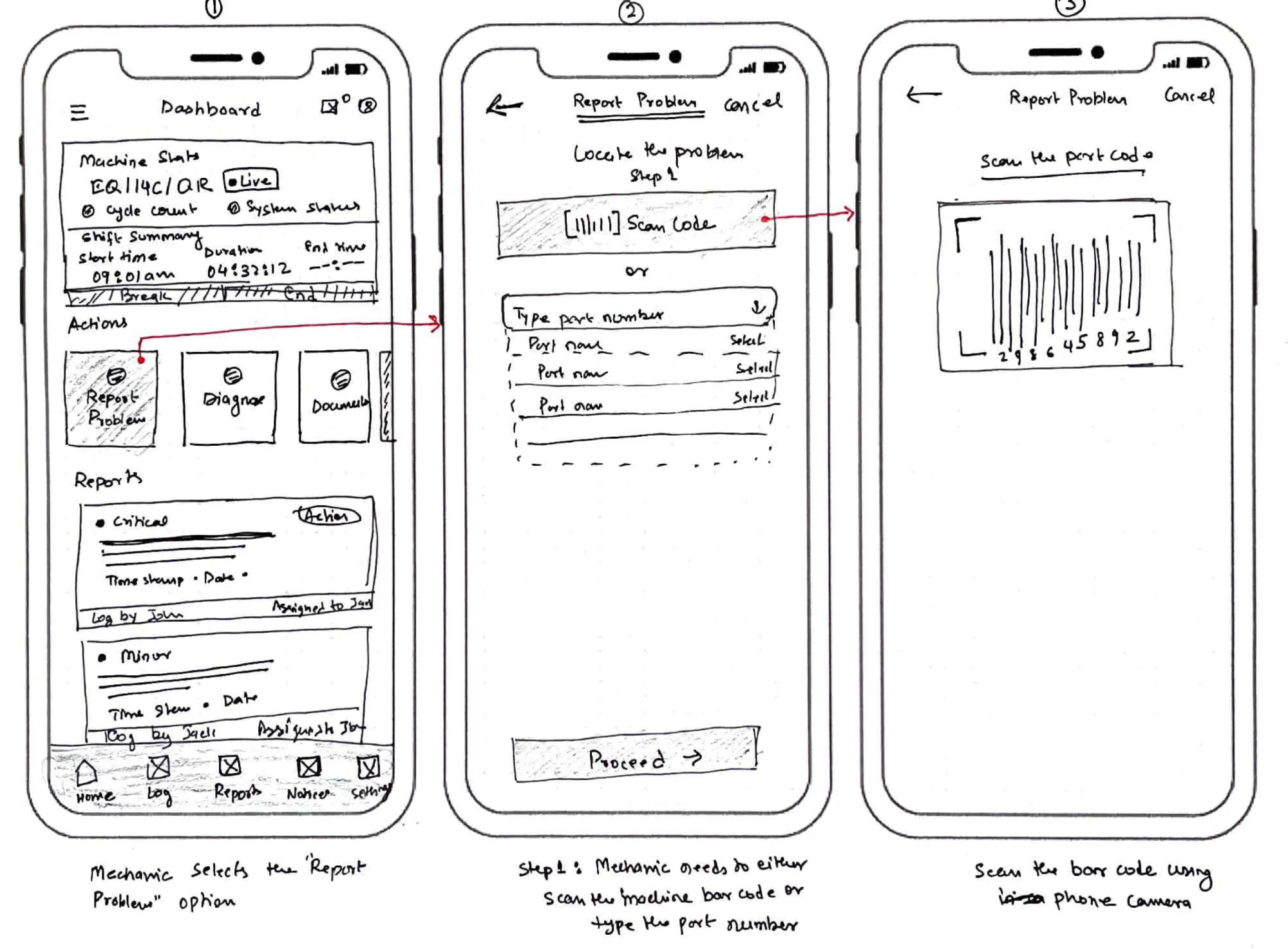
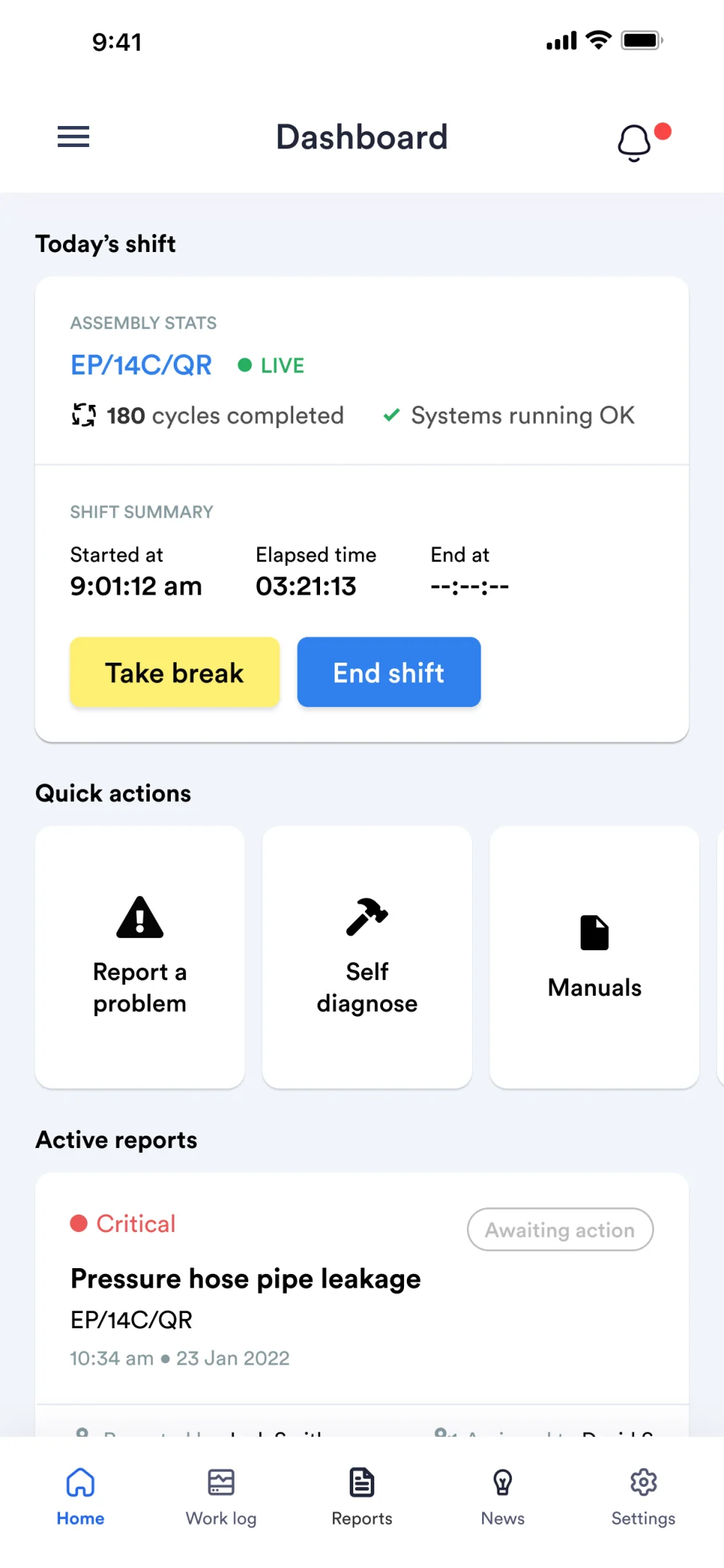
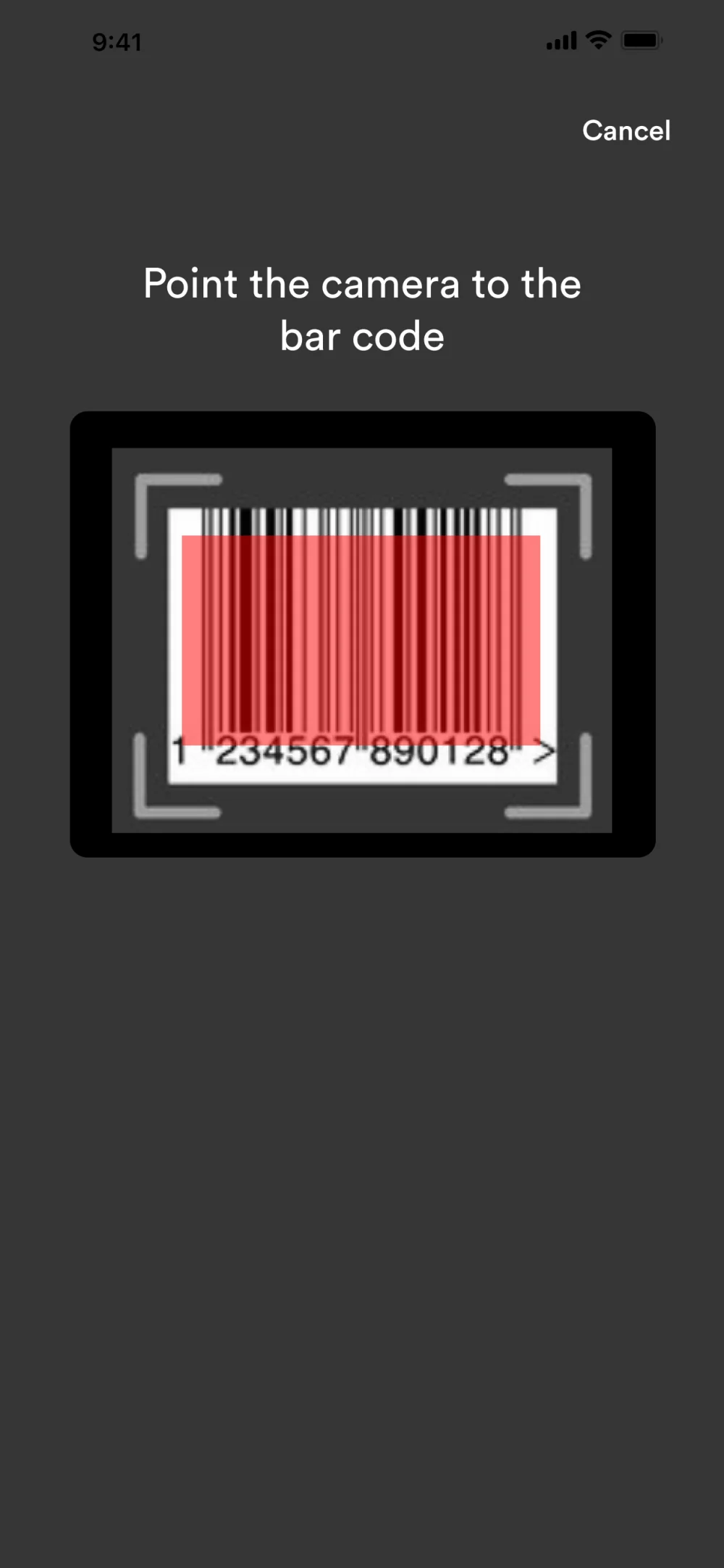
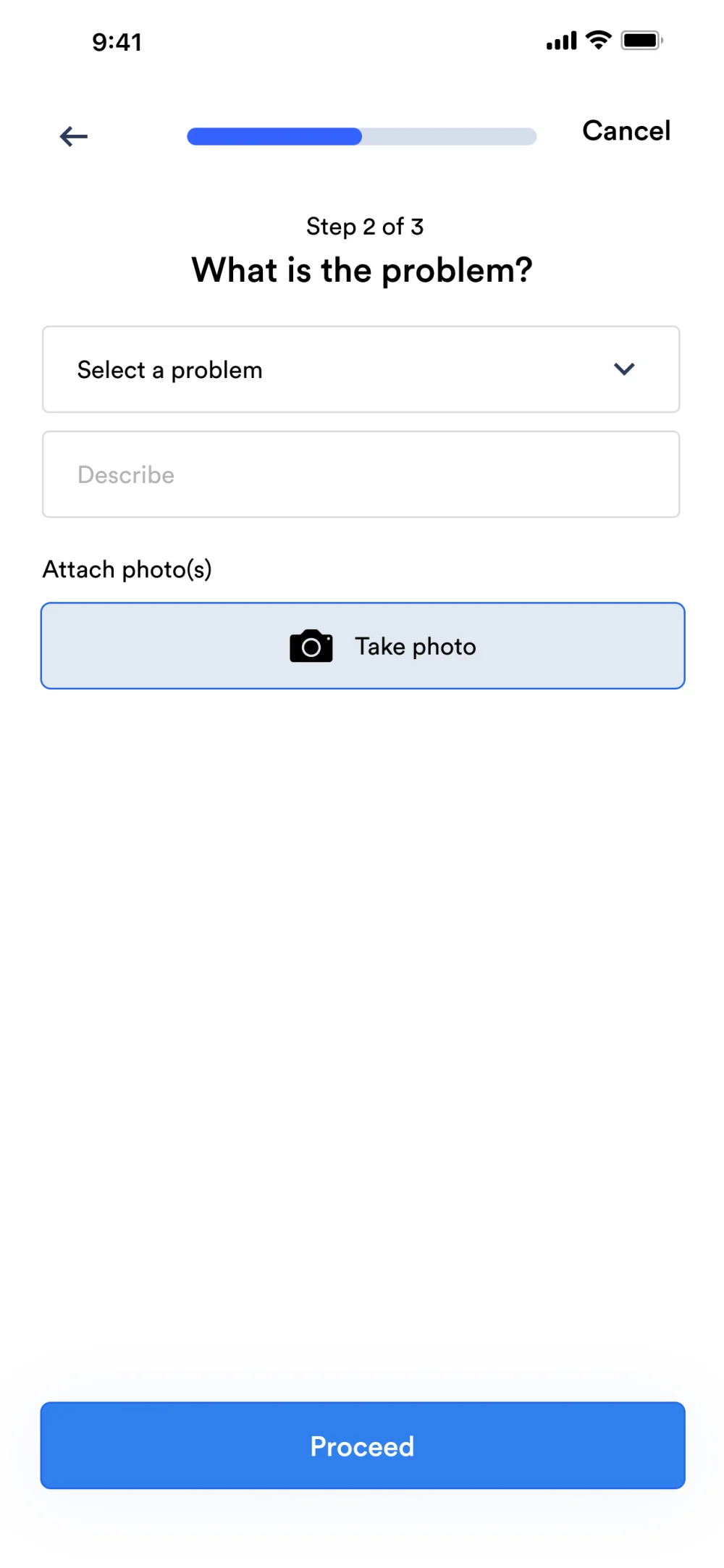
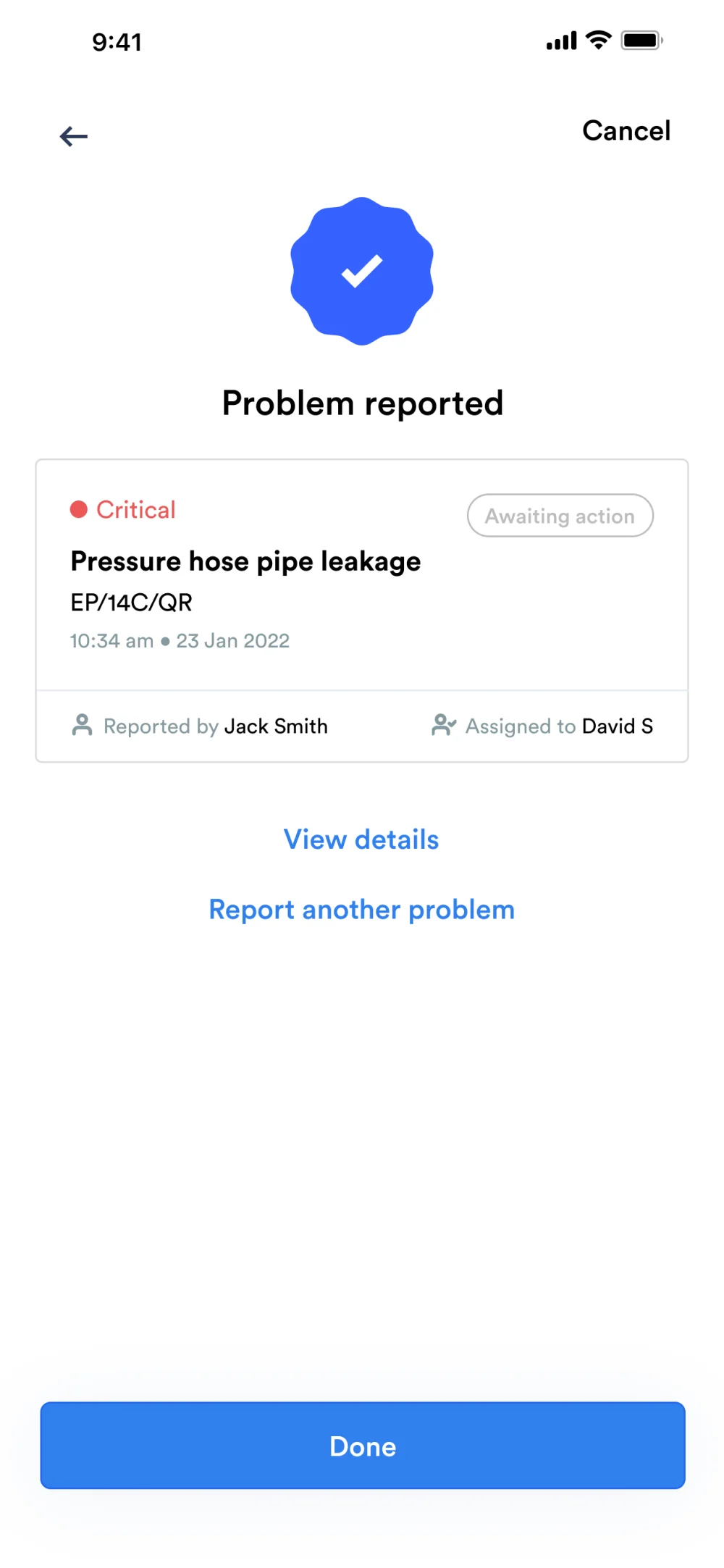
The technician’s home screen shows today’s shift, the live state of their assembly line and quick actions: report a problem, self-diagnose or open a manual. To report an issue, they scan the part’s barcode with their phone camera, choose the problem, add a photo and send it. The report lands with a severity and an assignee straight away.
Supervisor portal
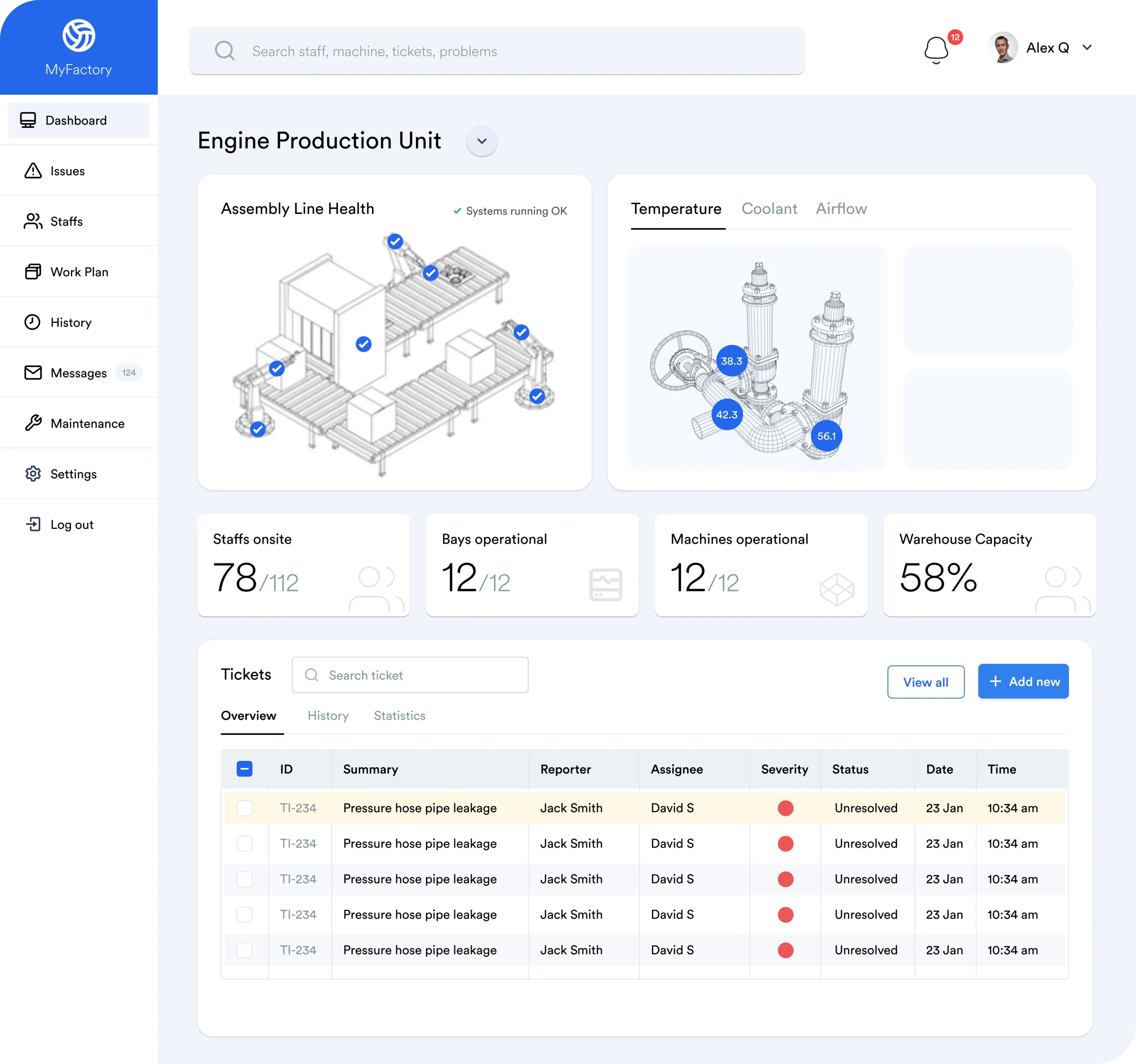
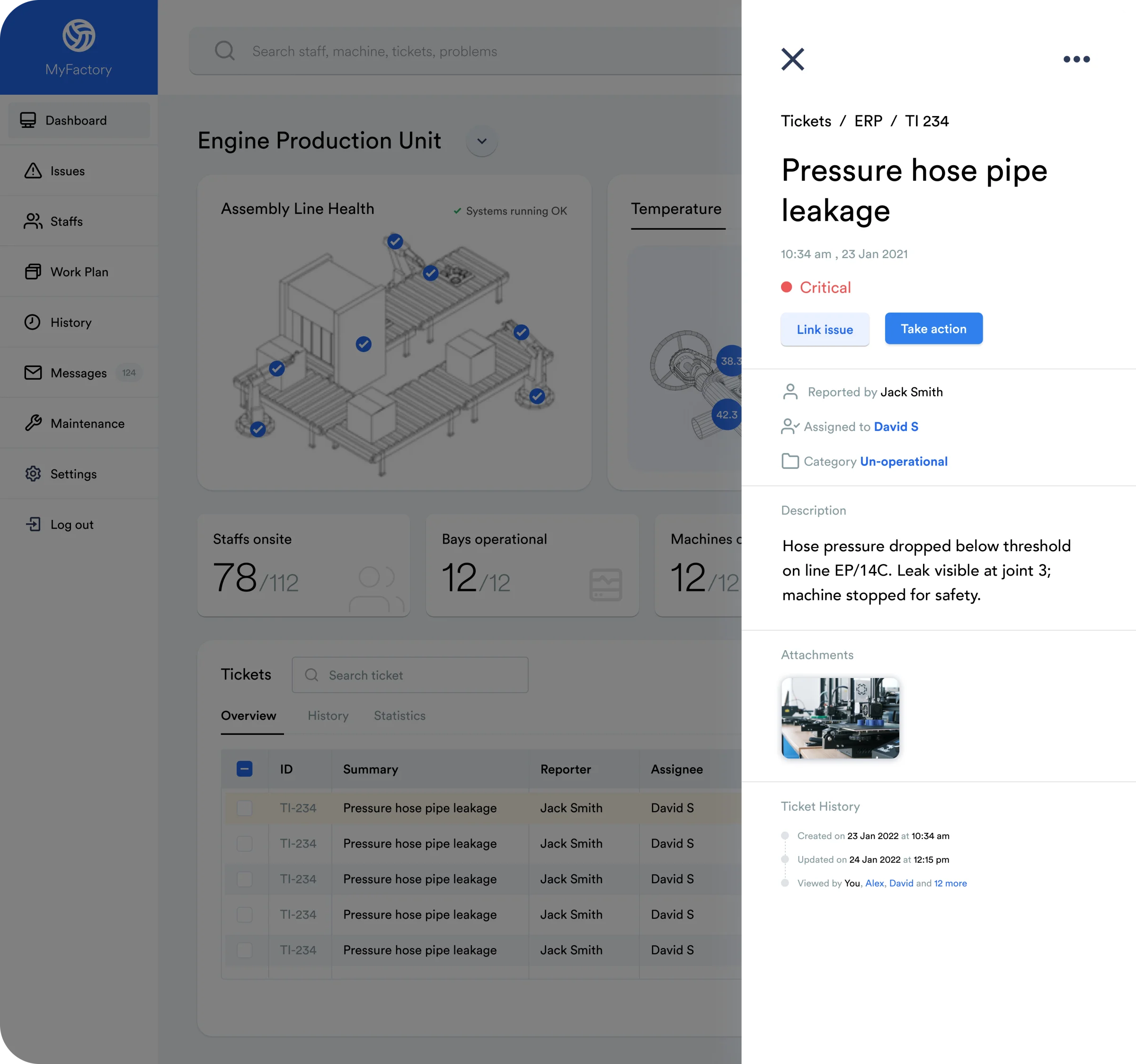
On the web, supervisors get a view of the production unit: line health, temperature and airflow, staff on site, machines running and every open ticket. Opening a ticket shows who reported it, who owns it and its full history, ready to assign or escalate.
Reflection
When you can’t talk to users, write your assumptions down and design so they’re easy to test later.
MyFactory was a quick concept, and I’d validate it with technicians on a real shop floor before building anything. The parts I’d expect to hold up are the ones I now see in my enterprise work every day: put the most urgent action one tap away, and make sure the person who reports a problem and the person who fixes it are looking at the same thing.
Building something complex? Let’s talk.
Inquire